
- May 9, 2026
- Website Builder
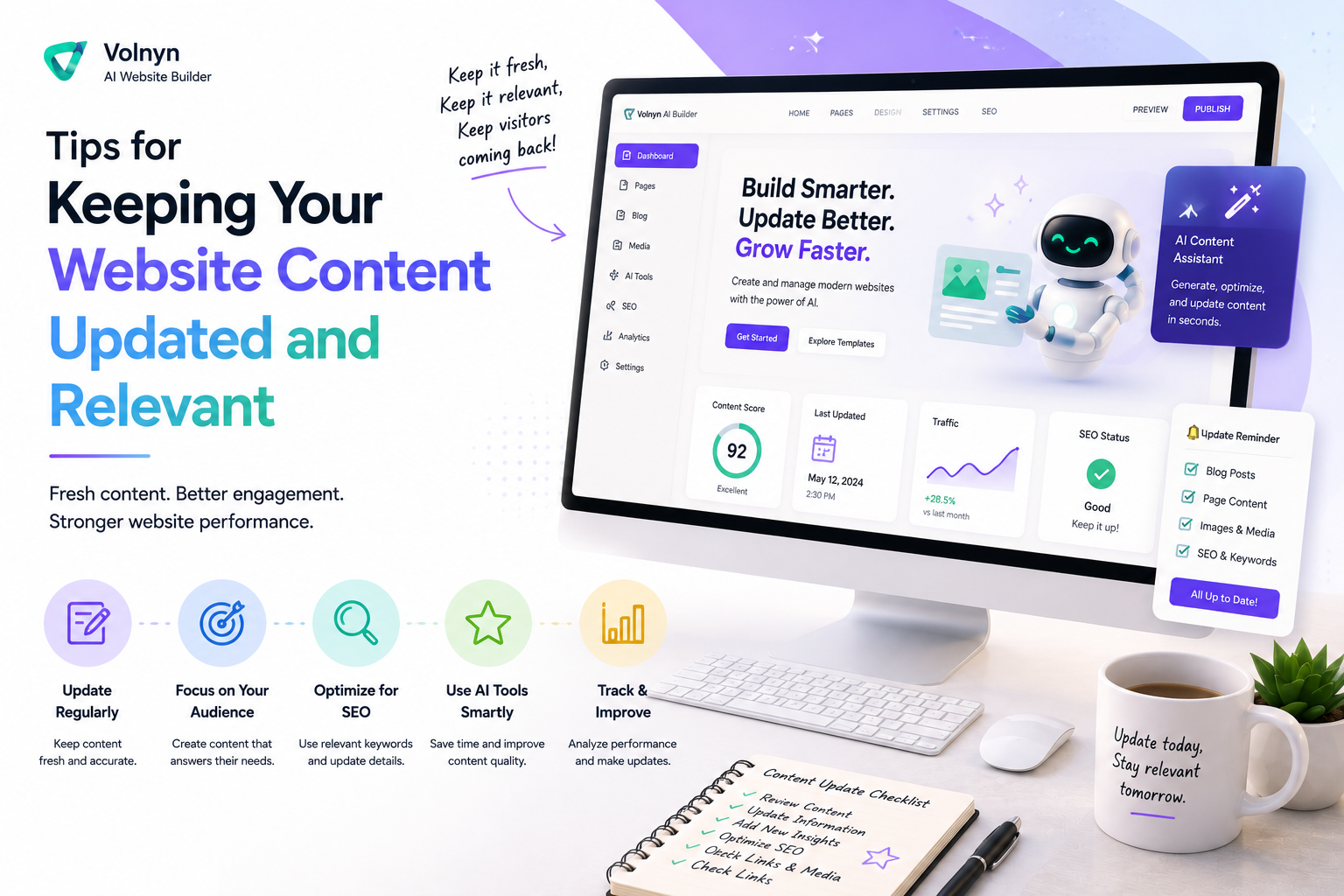
Tips for Keeping Your Website Content Updated and Relevant
Most people put significant effort into building their website and then treat it like a finished product. It isn't. A website that doesn't change stops reflecting your business accurately, loses ground in search results, and gives returning visitors no reason to come back. Keeping content updated isn't a background task — it's part of having a website that actually does its job. Here's what that looks like in practice.
Why outdated content costs you more than you think
An outdated website doesn't just look neglected — it actively works against you. A visitor who finds incorrect pricing, a service you no longer offer, or a "coming soon" page that's been sitting there for eight months draws a conclusion about your business. Usually not a good one.
The same applies to search engines. Content that hasn't been touched in a long time signals that a site may no longer be active or relevant. That affects how pages are ranked and how often they're crawled. A competitor who updates their content regularly will, over time, appear more authoritative in search results — not necessarily because their content is better, but because it's current.
The cost of outdated content is gradual and mostly invisible until it isn't. By the time you notice the impact, it's already been affecting you for a while.
What "updated content" actually means
Updated content doesn't mean rewriting your entire website every few months. It means making sure what's there is accurate, relevant, and reflects what your business actually offers right now.
In practice, that involves a few different things. Factual accuracy — prices, service descriptions, contact details, availability. Relevance — is this page still useful to the people visiting it, or has your business moved in a direction that makes it less applicable? Currency — does the content reference things that were true last year but aren't anymore?
Some pages need updating regularly. Others need attention once a year and are fine between reviews. The skill is knowing which is which and not treating all pages the same way.
Set a realistic content review schedule
Content updates don't happen if they're not scheduled. Most people intend to keep their website current and then don't, because there's always something more immediately pressing to deal with.
A simple schedule works better than good intentions. For most small business websites, a monthly review of key pages and a quarterly review of the full site covers what's needed. Fast-changing businesses — those with frequent pricing changes, new services, or seasonal offerings — may need something more frequent. Static businesses may need less.
The point isn't the exact frequency — it's having a recurring appointment with your own website that doesn't get cancelled. Put it in your calendar. Treat it like any other maintenance task. Thirty minutes a month is enough to catch most of what needs attention.
Prioritize the pages that matter most
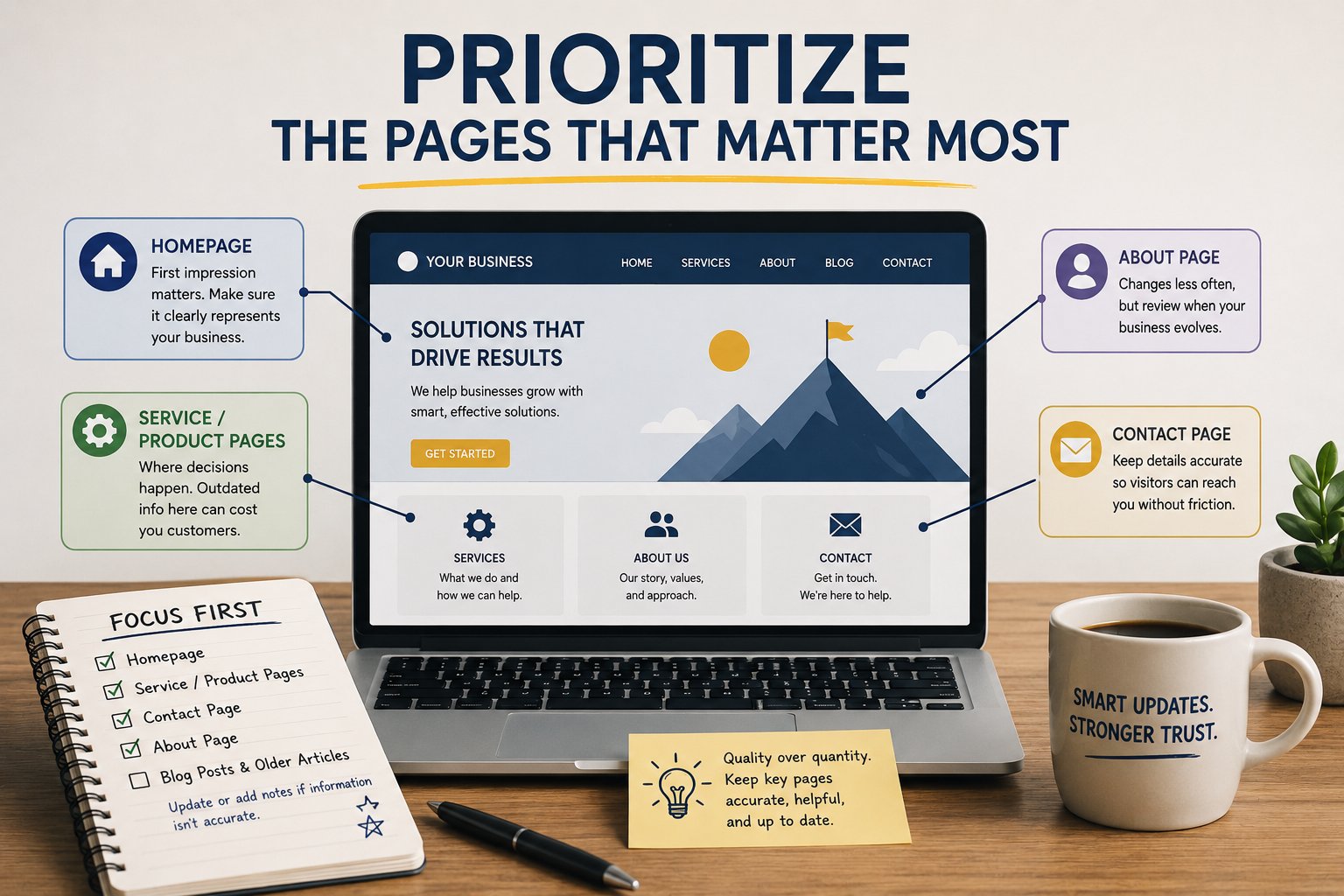
Not all pages on your website carry equal weight. Some are entry points that most visitors see first. Others are deep in the navigation and rarely visited. Focusing your update effort on the pages that matter most is a better use of time than trying to keep everything equally current.
The homepage is always a priority. It's the first thing most new visitors see, and it needs to accurately represent your business at a glance. Service or product pages come next — these are where decisions get made, and incorrect or outdated information here has a direct cost. Contact pages should be checked regularly for accuracy. About pages tend to change less frequently but should still be reviewed when your business changes significantly.
Blog posts and older articles are a separate consideration. If a post contains information that's no longer accurate, update it or add a note clarifying what's changed. Letting incorrect information sit on your site because it's in an old post isn't a neutral choice — it's still your content, and visitors treat it as current unless you tell them otherwise.
Keep your services and pricing accurate
This is the most practically important type of content to keep current, and the most commonly neglected.
A visitor who finds pricing on your website that doesn't match what you quote them in a conversation starts the relationship with a question mark. Even if the discrepancy is minor, it raises doubt. Similarly, a service that's listed on your website but that you no longer offer wastes both your time and theirs when they contact you about it.
Every time your pricing changes, update the website the same day. Every time you stop offering something, remove it or update the description immediately. Don't leave these updates for the next scheduled review — they're too important to sit for weeks.
If your business uses service packages or plan tiers, keeping those pages accurate is especially important. Visitors use pricing and package pages to make decisions, and decisions made on wrong information lead to difficult conversations later.
Use your website to reflect where your business is now
Websites often describe a business as it was when the site was built, not as it actually is. Services get added and never make it onto the site. The tone of an about page reflects where the founder was two years ago. A portfolio section shows old work because updating it kept getting deprioritized.
This gap between your website and your current reality has a cost. Clients who find your site before speaking to you form an impression based on what's there. If that impression is a version of you from two years ago, the conversation that follows starts from a mismatch.
A useful exercise: read your website as a stranger would, with no prior knowledge of your business. Does what's there accurately describe what you do now, what you charge, and who you work with? If not, the gap between what's on the site and what's actually true is worth closing.
How fresh content affects your search visibility
Search engines favor content that's current and regularly maintained. A page that was last updated three years ago competes at a disadvantage against a page covering the same topic that was updated recently — all else being equal.
The AI website generation features on Volnyn include built-in SEO configuration — meta tags, sitemaps, schema markup, and clean URL structures are all handled automatically when your site is created. But the content within those pages is still the variable that determines whether the technical foundation works in your favor.
Regularly updated content gives search engines a reason to revisit your site more frequently. New and revised pages get crawled faster than pages that haven't changed. Over time, a site that's actively maintained accumulates search visibility in a way that a static site doesn't, regardless of how well it was built initially.
Fresh content also reduces bounce rates. A visitor who finds current, relevant information is more likely to stay and read it. A visitor who finds something that looks outdated leaves quickly. That behavior difference is something search algorithms notice and factor into rankings.
Make updating easy from the start
One of the reasons website content goes stale is that updating it is more work than it should be. If editing a page requires technical knowledge you don't have, or accessing a system you don't fully understand, updates get delayed or skipped entirely.
The solution is to use a platform that makes editing straightforward. A drag-and-drop editor, clear content management, and a system you can access and change yourself without depending on someone else — these things determine whether content updates actually happen or just stay on your to-do list indefinitely.
Explore the website builder use cases to see how different business types — service providers, freelancers, agencies, and more — use Volnyn to manage their online presence without technical complexity. The common thread across all of them is that updates are done by the business owner, not outsourced to a developer every time something needs to change.
How Volnyn makes content updates straightforward
Volnyn's AI-powered website builder is designed so that the person who owns the business can manage the website without technical knowledge. The drag-and-drop editor lets you change text, swap images, update pricing, and rearrange sections without touching code. What you see in the editor is what appears on the live site.
If your business changes significantly — a full rebrand, a new service line, a different focus — Volnyn's website templates give you a fast way to refresh your site's structure and look without rebuilding from scratch. Templates are organized by industry and purpose, so finding a starting point that fits your updated direction is straightforward.
All updates to your Volnyn site carry over to the SEO configuration automatically — sitemaps update, meta data adjusts, and the technical foundation stays intact regardless of what you change in the content. You're not managing two separate things. The content and the technical layer work together.
If you haven't built your site on Volnyn yet, visit volnyn.com to get started. No credit card required.
Final Thoughts
A website that reflects your business accurately and updates regularly isn't a nice-to-have — it's what makes a website useful rather than just present. The technical work of building it well is a one-time investment. Keeping it current is an ongoing one, but it doesn't have to be complicated or time-consuming if the right habits are in place.
Schedule the reviews. Update pricing and services the same day they change. Close the gap between what's on the site and what's actually true about your business right now. And use a platform that makes doing all of that straightforward enough that it actually happens.
The websites that perform well over time aren't the ones that were built best at the start. They're the ones that were maintained consistently after.
Frequently Asked Questions
1. How often should I update my website content?
It depends on how fast your business changes. For most small businesses, a monthly check of key pages — homepage, services, pricing, contact — and a quarterly review of the full site covers what's needed. Pricing and service changes should be updated the same day they happen, not saved for a scheduled review. If you run a blog or publish articles, more frequent updates help with search visibility.
2. Does updating my website content actually improve my search rankings?
It contributes to it. Search engines favor content that's current and regularly maintained. A page updated recently competes better than one that hasn't been touched in years, assuming the content quality is comparable. Updating content also gives search engines a reason to crawl your site more frequently, which helps new and revised pages get indexed faster. It's not a shortcut to ranking — but neglecting updates is a slow way to lose ground.
3. What's the easiest way to identify which content on my website needs updating?
Read your site from the beginning as a new visitor would. Look specifically for: prices or packages that have changed, services you no longer offer or have added, contact details that have moved, anything that references a time period that's passed, and any claim about your business that's no longer accurate. Most websites have more outdated content than their owners realize — the exercise of reading it cold usually surfaces it quickly.
4. Can I update my Volnyn website myself, or do I need a developer?
You can update it yourself. Volnyn's editor is drag-and-drop — no code involved. Text, images, pricing, page structure, and section layout are all editable directly from your dashboard. Most common updates take a few minutes. You don't need to contact a developer or wait for someone else to make changes to your own site.
5. What should I do if my business has changed significantly since I first built my site?
A significant business change usually warrants more than a content update — it may be time to rethink the structure and focus of the site altogether. On Volnyn, you can use the templates library to find a new starting point that fits your current direction and rebuild from there, rather than patching an existing structure that no longer fits. The AI builder will generate a new site from your updated inputs quickly, giving you a fresh foundation to work from rather than trying to retrofit the old one.