- April 25, 2026
- Website Builder
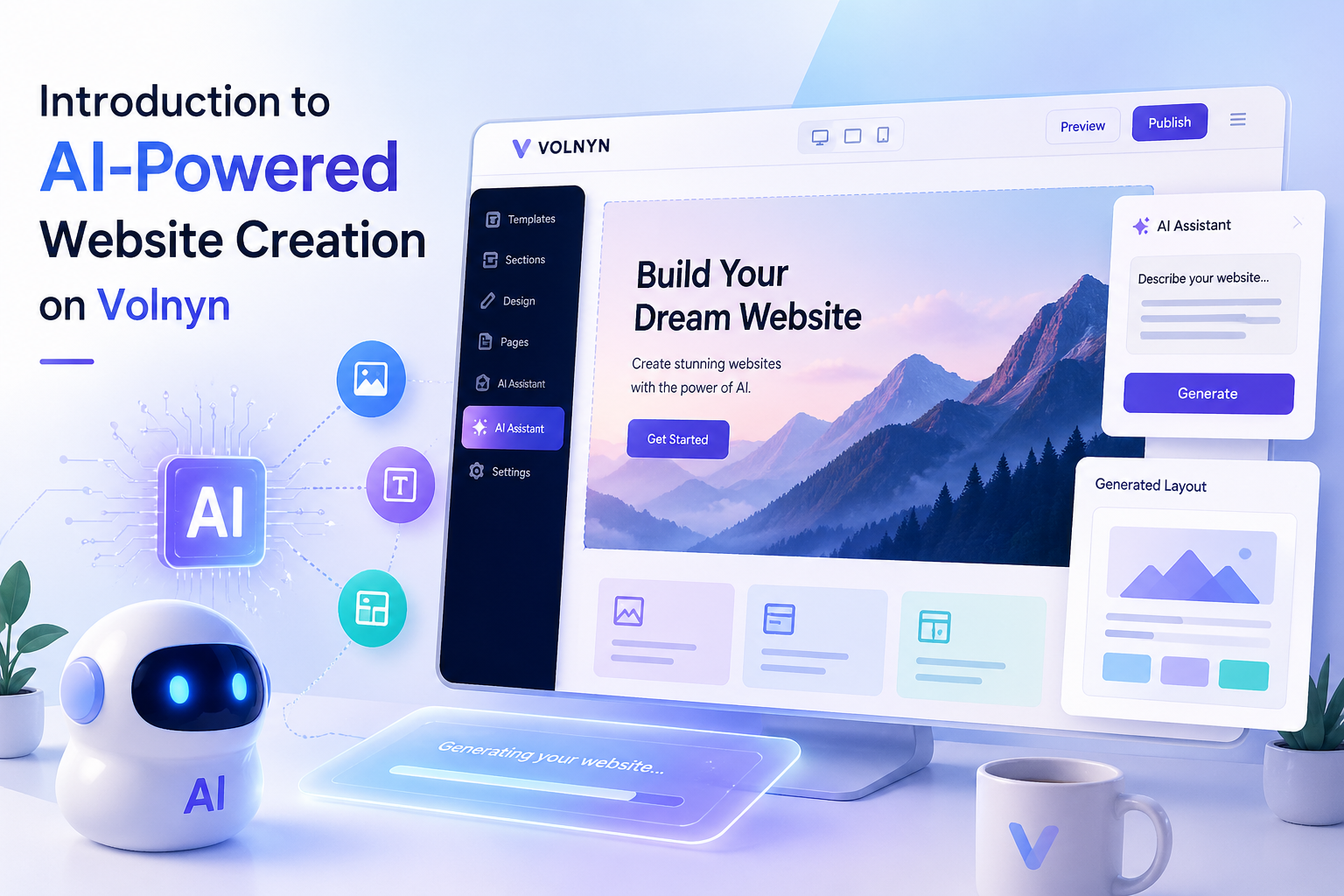
Introduction to AI-Powered Website Creation on Volnyn
Published: April 25, 2026 | Volnyn Editorial Team | 8 min read | Website Builder · AI · No-Code
Most people who want a website spend weeks either learning tools they'll forget, waiting on a developer, or just not doing it. Volnyn's AI builder is built for that exact gap — get something real online without the usual friction.
Table of Contents
- What Is AI-Powered Website Creation?
- How Volnyn's AI Website Builder Works
- Key Features of Volnyn's AI Builder
- Who Is This For?
- Step-by-Step: From Sign-Up to Live
- Why Volnyn Is Different
- SEO and Performance
- Final Thoughts
1. What Is AI-Powered Website Creation?
The short version: you describe what you need, and the AI builds it. No blank canvas, no code, no hiring anyone.
That sounds simple because it is. The AI reads your input — your business name, industry, what you're trying to do — and generates a full website structure around it. Pages, navigation, sections, copy suggestions. Done in under a minute.
That used to take a freelancer a week just to quote.
What Volnyn's AI does is skip the part where you spend three evenings choosing between templates and second-guessing font sizes. You start with something real and work from there. Most users have a live site the same day they sign up.
2. How Volnyn's AI Website Builder Works
The process is four steps. It does not take long.
-
Tell it about your business.
Enter your business name, what you do, and what you want the site to accomplish. A bakery and a law firm will get very different starting points. The AI uses your input, not a generic template. -
The AI builds your structure.
Within seconds you have a full page layout — navigation, sections, recommended content blocks, and copy that fits your category. It's not perfect out of the box, but it's not a blank page either. That distinction matters more than it sounds. -
You customize with drag-and-drop.
Change colors, swap images, rewrite copy, move sections around. No code required. If you've ever used a Google Doc you can use the editor. -
Connect a domain and publish.
Use a domain you already own or grab one through Volnyn. One click and it's live — SSL included, hosting handled.
3. Key Features
Here's what you actually get:
- AI content generation — headlines, descriptions, and page copy generated around your industry. Edit everything; it's just a starting point.
- Mobile-responsive layouts — every site works on phones, tablets, and desktops. You don't configure this; it's on by default.
- Built-in SEO — meta titles, meta descriptions, XML sitemaps, and schema markup are generated automatically. You can override any of it from the dashboard.
- Professional templates — a large library sorted by industry. Useful if the AI's first output isn't the right starting point for you.
- Custom domain integration — bring your own domain or register one. Both take a few minutes to set up.
- Fast load speeds — sites run on optimized infrastructure. You're not fighting the platform on performance.
- Form builder and lead capture — contact forms, newsletter signups, and lead tools available without a plugin or third-party account.
- Multi-language support — publish in multiple languages from the same dashboard.
- SSL and secure hosting — included on every plan, no setup required.
4. Who Is This For?
Honestly, it's useful for a wide range of people. But some get more out of it than others.
Entrepreneurs and early-stage startups
If you're early enough that you don't have a developer yet, Volnyn gets you online fast. You can validate an idea with a real site before spending money on anything else.
Freelancers and independent creators
Photographers, writers, designers, consultants — anyone who needs a portfolio or service page but doesn't want to manage a WordPress install. Volnyn handles the technical side so you don't have to think about it.
Small and medium businesses
Local businesses especially. If your website is outdated, or you don't have one, or you've been meaning to fix it for two years — this is the fastest way to deal with that without hiring an agency.
Agencies building for clients
For teams building multiple sites at once, the platform supports the volume. Custom domains, multi-language, and API-level options are there when you need them.
5. Step-by-Step: From Sign-Up to Live
-
Create your account.
Go to volnyn.com and sign up. No credit card needed to start. -
Choose your website type.
Business, portfolio, blog, e-commerce, services — pick the category that fits. The AI adjusts its output based on this. -
Review what the AI built.
Your site is ready in seconds. Look through the pages, sections, and copy. Change what doesn't fit. -
Make it yours.
Upload a logo, adjust the color scheme, rewrite the copy, rearrange sections. The editor is drag-and-drop. -
Publish.
Connect a domain and hit publish. That's it. Analytics are built in so you can track what happens next.
6. Why Volnyn Is Different
Website builders are everywhere. Wix, Squarespace, Webflow — they're all fine tools. So why Volnyn?
The website builder is one part of a larger platform. Volnyn also has a freelancing marketplace, property listings, browser-based games, and NFT and digital asset tools. All of it lives under one account.
That might sound like a lot, but the practical result is this: if you build your website on Volnyn, you already have access to hire a freelancer to help you with it. Or list a property. Or expand into other parts of the platform later. You're not locked into a single-purpose tool.
Whether that matters depends on what you're building toward. For some users it won't. For others, having everything in one place removes a lot of switching.
7. SEO and Performance
A site nobody finds isn't doing much. Volnyn's SEO setup is automatic but not invisible — you can see and edit everything.
What gets configured automatically
Every site starts with auto-generated meta tags, an XML sitemap, schema markup, clean URLs, and mobile-first indexing compliance. SSL is enabled by default. Page speed is handled at the infrastructure level — image compression, optimized delivery — so you're not managing that yourself.
What you control manually
Every SEO field is editable from the dashboard. If you want to write custom meta descriptions for each page, or tweak your URL slugs, or adjust structured data — you can. The auto-generated defaults are a floor, not a ceiling.
- Meta tags — auto-generated per page, manually editable.
- XML sitemap — generated and submitted automatically.
- Schema markup — structured data for richer search results.
- SSL — HTTPS on every site, no setup.
- URL structure — clean and SEO-friendly by default.
- Mobile-first indexing — built into every layout.
8. Final Thoughts
If you've been putting off building a website because it feels like a project — Volnyn's AI builder is worth trying before you commit to anything more involved. It's fast enough that the first version of your site can be live before you'd finish briefing a developer.
It won't replace a custom-built site for complex use cases. But for most people — freelancers, small businesses, early startups — it covers what you actually need.